
Business phone · Fax · Text
Every call, fax and text at your office. One place.
Freedom Connect puts your office's calls, voicemail, faxes and texts in one app, on your desk phones, your computer, Microsoft Teams and your cell. Freedom Tech sets it up, moves your numbers and supports it, so you never call a stranger for help.
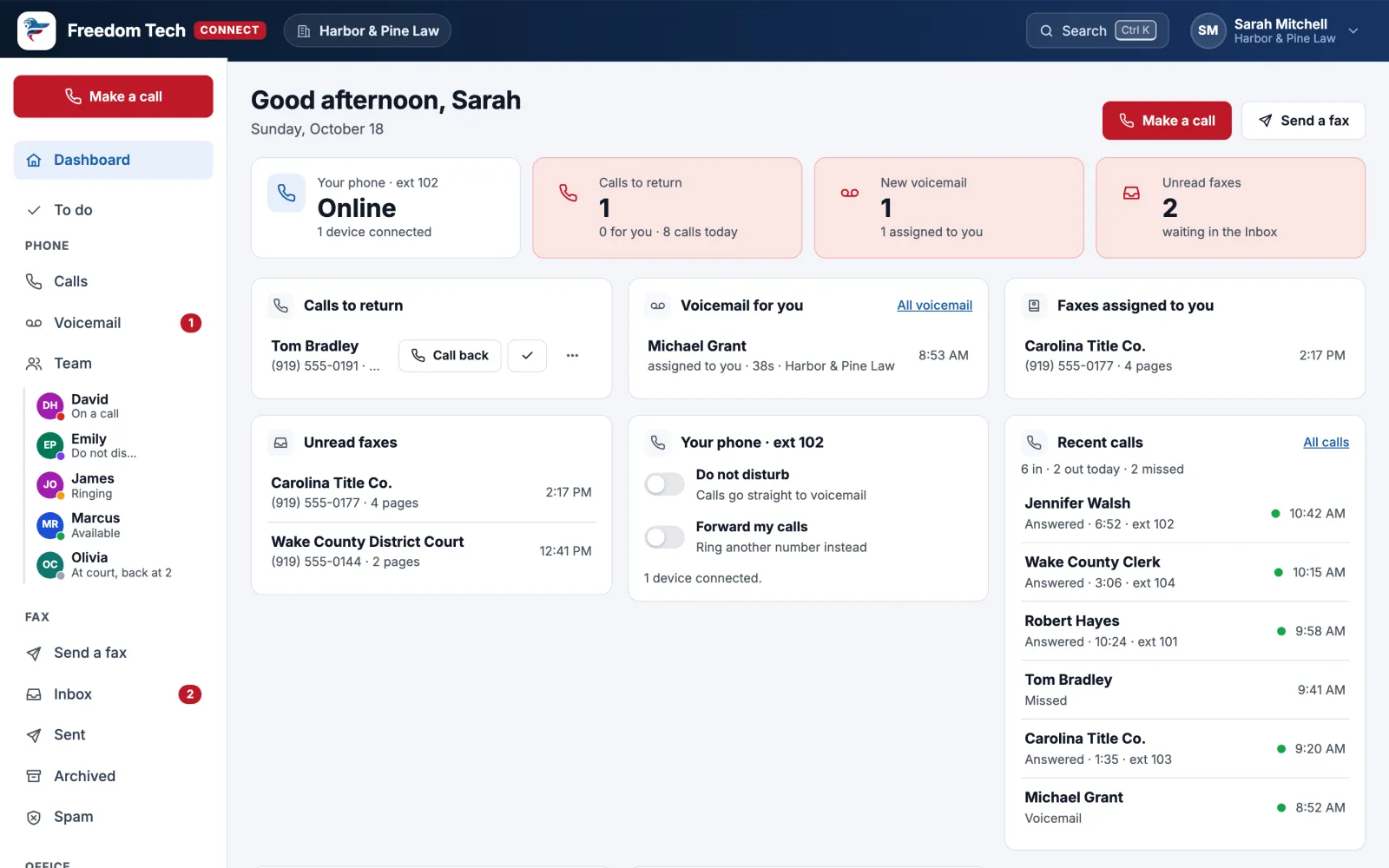
One service, three ways to reach you
Stop juggling a phone company, a fax service and a texting app
Your team works from one screen, and everything with a client (every call, voicemail, fax and text) lines up in one place.
Business phone
Desk phones, the app and Teams on one system: smart routing, voicemail you can read, call screening that stops robocalls, and a map of where every call goes.
Business phone →Fax
Send and receive faxes in your browser. Search every page, assign faxes to people, sign and send back, and share by secure link instead of email attachments.
Fax →Texting
Text clients from your office number as a team: shared conversations, assignments, a texting button for your website, and a text back for every missed call.
Texting →Nothing falls through the cracks
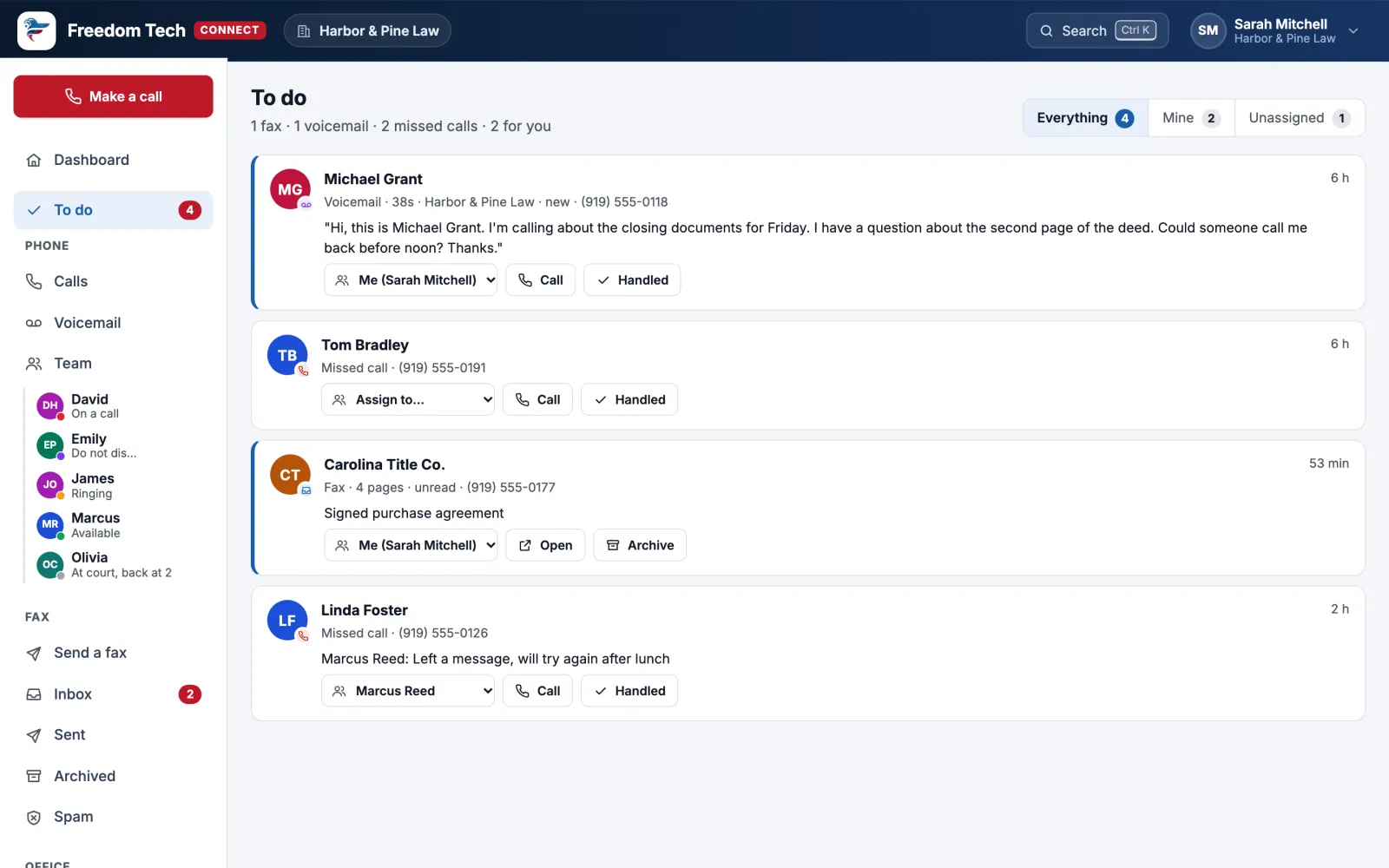
Everything that needs your team, on one list
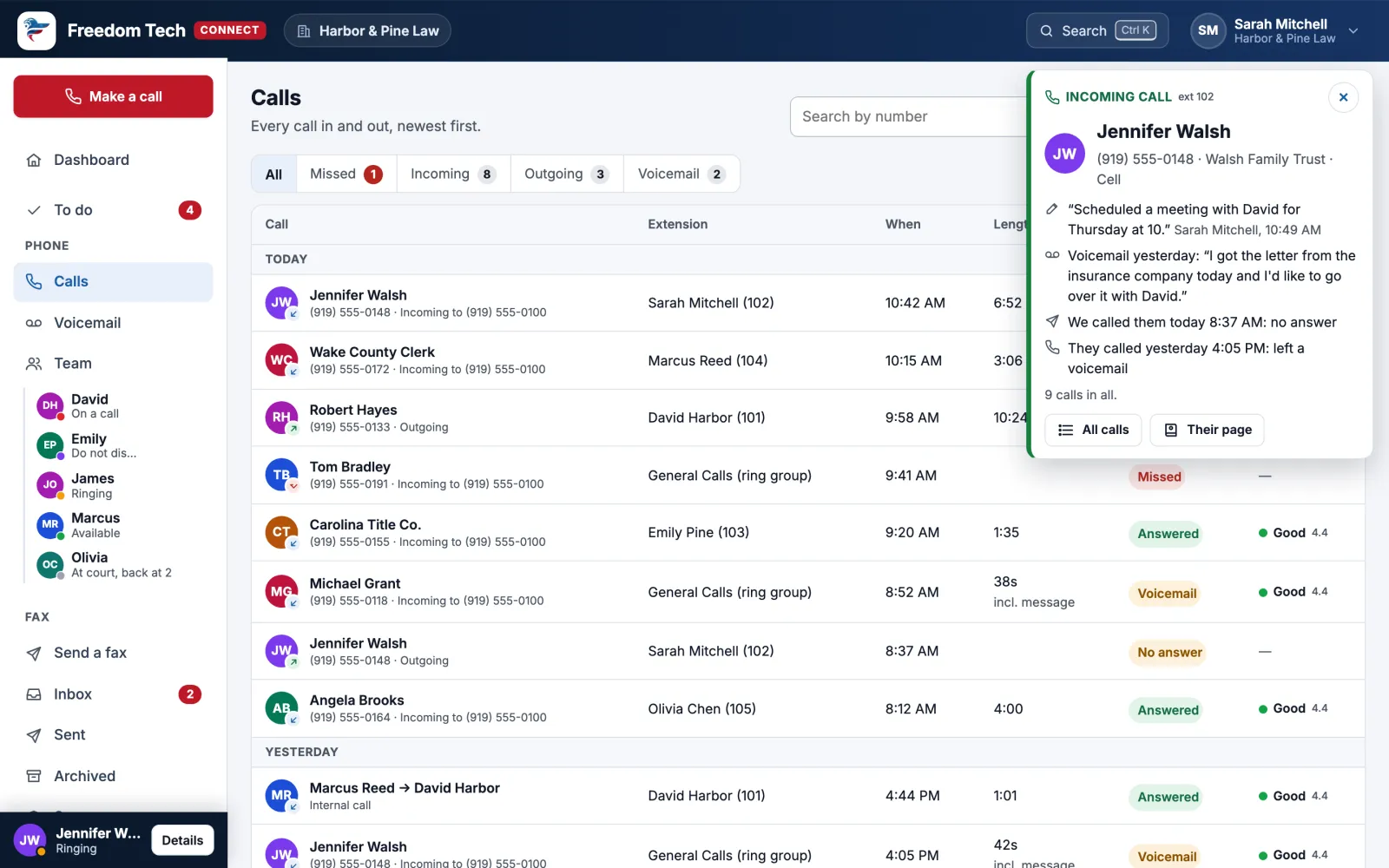
Missed calls, voicemails, texts and faxes all land in To do, with who's handling each one.
- Assign it to the right person, who gets a heads-up by email, on their phone and in Teams.
- Add a note ("Called back, they'll fax it Monday") so nobody calls the same client twice.
- Mark it handled and it's off everyone's list. A new call or text from them reopens it.
- Click any name to see everything with that person: every call, voicemail, fax and text, in one timeline.
Voicemail you can read
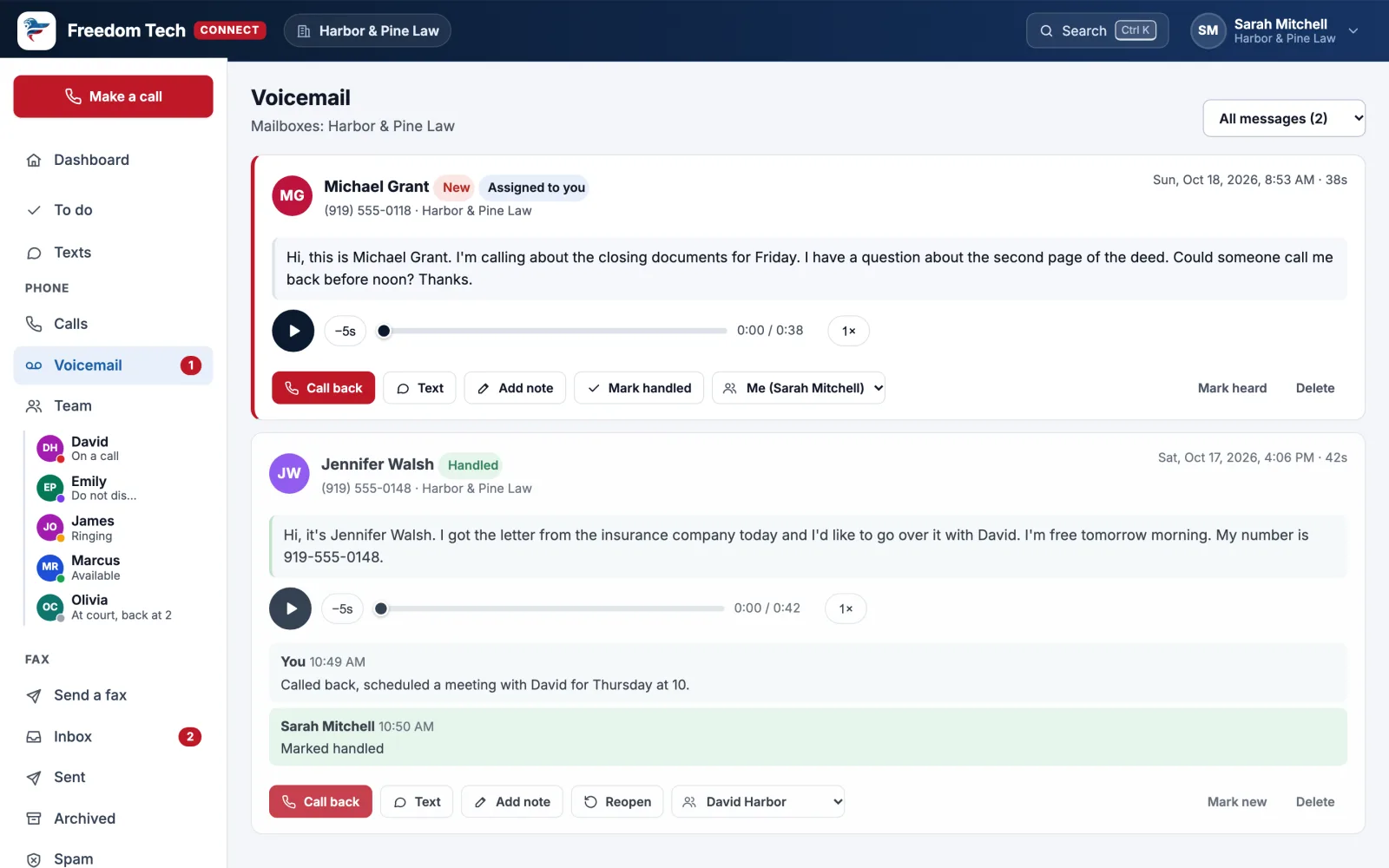
Read your voicemail instead of listening to it
Every message is written out the moment it arrives, so you can skim it on the dashboard, in your email or on your phone.
- Play it faster, or jump back five seconds.
- Shared mailboxes for teams like Billing or Scheduling.
- Call back with one click: your desk phone rings, then theirs.
- Type a greeting and pick a voice to read it. No recording booth needed.
Know before you answer
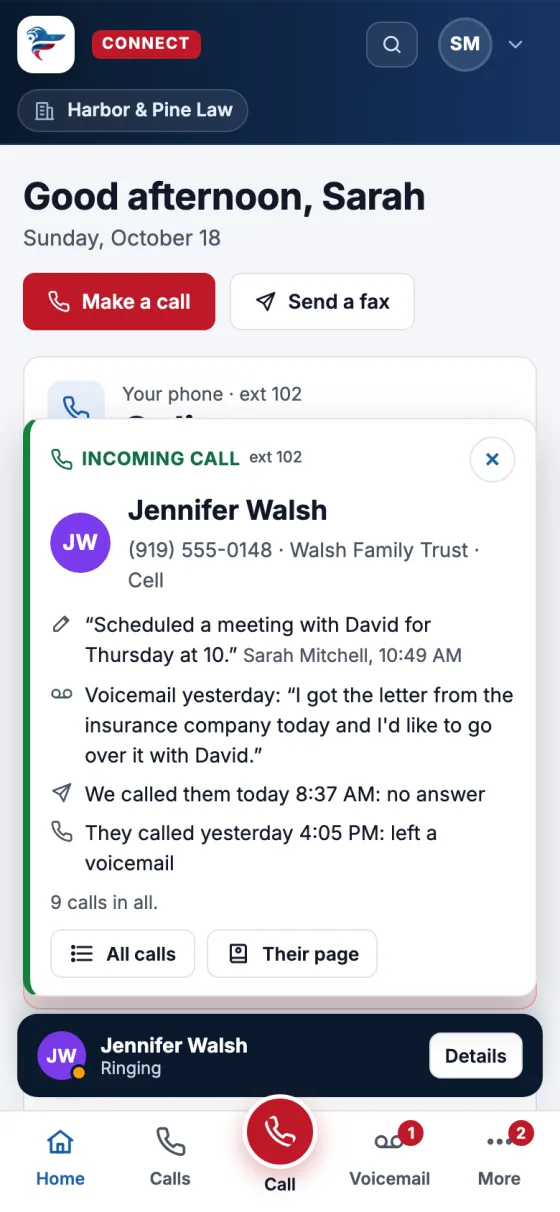
See who's calling, and what's going on with them
When your phone rings, Connect shows the caller's name, their last calls and voicemail, who's returning their call, and the latest note, before you pick up.
- Works in the browser, the app and Microsoft Teams.
- Flags callers other people reported as spam.
- Callers you don't know can be asked to press 1, or to say their name, before your phone rings.
Watch it work
Two minutes with Connect
Short walkthroughs with captions, made with a sample office.
More than a phone line
Built for the way an office actually runs
A map of every call
See every path from each of your numbers to the phone that rings. Drag a line to change where calls go, and test a pretend call without ringing anyone.
Robocalls stay out
Screen callers you don't know, let AI send sales calls and scams to voicemail, block numbers for a day or for good, and turn away calls from other countries.
Inside Microsoft Teams
Connect lives in Teams as Phones & Fax. Your Teams status and your desk phone stay in step, and notifications show in the Teams activity feed.
Your whole team, at a glance
See who's free, on a call or away. Call, intercom, park and pick up calls, and share a status like "At court, back at 2".
AI that saves time
Voicemail written out, short summaries of recorded calls, an AI assistant you can ask about your voicemail, and an interpreter for Spanish, French, Chinese, Japanese and Korean callers.
Safety built in
Lockdown, evacuate and shelter alerts to every phone, a silent panic alarm, bells and paging, and 911 that shows the right address for each building.
Switching is the easy part
We do the work. You keep your numbers.
A quick call
We look at how your office uses the phones today, and your current bill.
We set it up
Your menus, ring groups, greetings and hours, built for you and shown on the call flow map.
Your numbers move
We move your existing numbers to Connect at no charge. Your callers won't notice a thing.
We stay with you
Changes and support come from Freedom Tech's own team, not an overseas call center.
Simple pricing
From $25 per user, per month
Unlimited calling in the U.S. and Canada, a number for every user, the app, voicemail written out, and setup and support by Freedom Tech.
Trusted with sensitive information
Private by design
Sign in with your Microsoft 365, a record of who opened what, retention your office controls, and a privacy mode for health and legal offices.
See it with your own calls
Book a 15-minute call. We'll show you Connect, look at your current phone bill, and tell you exactly what switching involves.