
Texting
Text clients from your office number, as a team
Clients would rather text. Connect lets your whole office handle those texts together, from the number they already know.
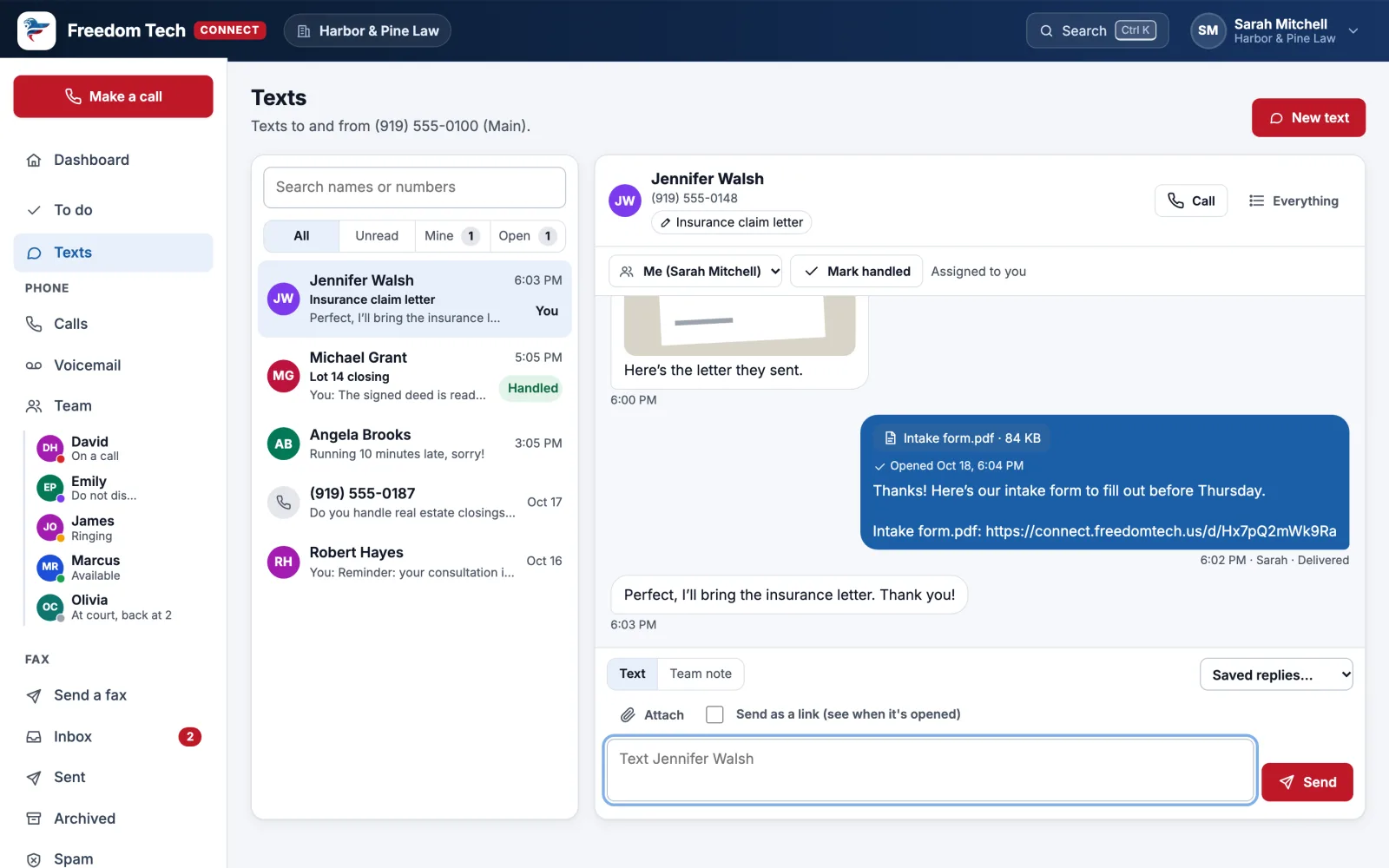
Shared inbox
One conversation per client, visible to the team
- Assign a conversation and mark it handled. Open conversations show in To do.
- Team notes inside the conversation that the client never sees.
- Topics like "Walsh insurance claim" so everyone knows what it's about.
- Send pictures and PDFs, or send a document as a link and see when it's opened.
- Saved replies for common answers, and an automatic reply when you're closed.
- Texts to people who reply STOP stop automatically. That's the law for business texting, and Connect handles it.
More ways to reach people
Texting that brings in business
Text back missed calls
When nobody can answer, the caller gets a text from your office number, and their reply lands in Texts.
A texting button for your website
Visitors leave their name, number and question, and you carry on by text from Connect.
A booking page
Clients book an appointment from your Outlook calendars' open times, and get a text confirmation and reminder.
Text-a-link from your phone menu
Callers press a key and get a text with directions, a form or a way to pay.
Payment links
Text or email a secure link to pay. Card numbers never touch your phones, and the money goes to your own Stripe account.
Caller surveys
Ask how a call went, by keypad or by text, and see who takes the best-rated calls.
Send to many
One message to a list, with names filled in, sent slowly and only at decent hours. Freedom Tech turns it on once your office is registered for it.
See it with your own calls
Book a 15-minute call. We'll show you Connect, look at your current phone bill, and tell you exactly what switching involves.